InvoicePlane is a free and open source invoicing application. The project is the official successor and owner of the codebase of FusionInvoice version 1.x, which was written by Jesse Terry. FusionInvoice was an open source software before but was transformed into a commercial product with the release of version 2.x.
Kovah, the InvoicePlane project leader, took over the codebase and restarted the project with a new name: InvoicePlane.
This tutorial will show you how to install InvoicePlane on a fresh Debian 9 (stretch) system.
Showing posts with label Tutorial. Show all posts
Showing posts with label Tutorial. Show all posts
October 19, 2019

October 18, 2019
Cara Mengaktifkan Port LAN Modem Indihome (Huawei HG8245H)
Jika Anda sedang bingung kenapa beberapa Port LAN pada Modem Indihome tidak bisa connect ke Internet, dan merasa tidak perlu membeli switch tambahan. Anda dapat aktifkan dengan login ke modem anda terlebih dahulu.
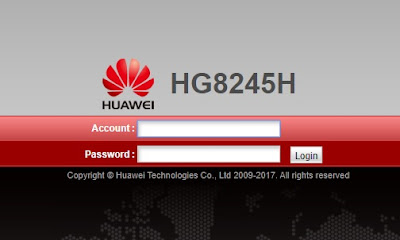
Berikut langkah - langkahnya :

Berikut langkah - langkahnya :
Sweet Home 3D - Free Architectural Design Software
Sweet Home 3D is a free architectural design software application that helps users create a 2D plan of a house, with a 3D preview, and decorate exterior and interior view including ability to place furniture and home appliance. In Sweet Home 3D, furniture can be imported and arranged to create a virtual environment. It can also be used for designing blueprints of houses.

Although Sweet Home 3D offers official portable packages for Linux, you may don’t want to browse its website and download the tarball everytime a new version is released.
How to Change Ubuntu Computer Name (Hostname)
This quick tip is going to show Ubuntu beginners how to change the hostname (computer name) in Ubuntu 19.10 Eoan Ermine.
Change hostname in Ubuntu permanently:There are a few graphical utilities offer option to change the computer name depends on your running desktop environment.
The universal way is to edit the configuration file /etc/hostname:
1. Open terminal from application menu, and run command to edit the file:
You may replace gedit with nano for Ubuntu Server, or with other text editor for your DE.
When the file opens, replace the content with your new computer name.
How to Install ONLYOFFICE on Ubuntu 18.04
ONLYOFFICE Desktop Editors is a free and open source office suite, distributed under GNU AGPL v.3.0., available for Linux, Windows and Mac OS. It offers three editors included in one package: for text documents, spreadsheets and presentations.
The benefits offered by ONLYOFFICE Desktop Editors run as follows:
- tab-based user interface to deal with multiple files within one and the same window
- compatibility with MS Office and Open Document formats
- support for the third-party plugins (for example, ClipArt, OCR, Speech, Symbol Table, Translator, YouTube, etc.)
- connection to the cloud platform of your choice: ONLYOFFICE, Nextcloud or ownCloud, offering real-time collaboration on documents for remote teams
- end-to-end encryption to protect documents, including temporary files, with the AES-256 encryption algorithm. Blockchain technology with asymmetric encryption was implemented for reliable password storing and transferring.
September 30, 2019
Cara install Laravel dengan Laragon
Setelah sekian lama absen dari Dunia Blog, Saya kembali dengan Tutorial Baru tentang cara menginstall Laravel menggunakan Laragon yang akan saya kutip dari beberapa sumber.
Laragon bisa dibilang sama seperti LAMPP/XAMPP dan Compatible dengan Laravel.
Berikut langkah - langkahnya :
1. Download terlebih dahulu Laragon Full.
2. Double Klik Installer yang telah di Download.
3. Klik Next

Laragon bisa dibilang sama seperti LAMPP/XAMPP dan Compatible dengan Laravel.
Berikut langkah - langkahnya :
1. Download terlebih dahulu Laragon Full.
2. Double Klik Installer yang telah di Download.
3. Klik Next

Subscribe to:
Comments (Atom)